BAD_SYSTEM_CONFIG_INFO on a Haydock Gaming PC: The Registry Wasn't the Problem
I got a WhatsApp on Monday from someone in Haydock. Their gaming PC was stuck on a blue screen reading BAD_SYSTEM_CONFIG_INFO, stop code 0x74, and they'd already worked through most of what the internet tells you to try.
They'd rebuilt the boot files from the recovery command prompt and had a go at repairing the registry from there too. Reset this PC refused to run. The next step was booting from a Windows USB stick, but before that could happen the PC stopped starting up properly at all. When the message came through, they were about to pull the CMOS battery.
None of that was going to work, and it wasn't for lack of trying. The drive Windows lived on had died.
How it started
It had been fine through hours of gaming. Then launching Wardogs, the new Team17 shooter, threw an error about conflicting attributes. Running it as administrator was the next try. The PC fell over and came back up on that blue screen.
It's easy to blame the admin launch. I don't think it had anything to do with it. Looking back, that odd game error was probably the first sign: Windows struggling to read files off a drive that was on its way out. The crash just happened to land at the same moment.
Why the error points you the wrong way
Microsoft describes BAD_SYSTEM_CONFIG_INFO as a problem with the registry, and that's where nearly every guide points you. Repair the BCD, restore the registry hives, run sfc and chkdsk.
Those fixes assume the registry is damaged and the drive underneath is fine. Here the drive was the problem. Windows loads the SYSTEM registry hive very early in startup, and if it can't read that file off the disk, you get this exact stop code. A broken registry and a drive that can't hand the registry over look identical on the blue screen.
So every repair attempt was writing to a drive that wasn't really listening.
What I found
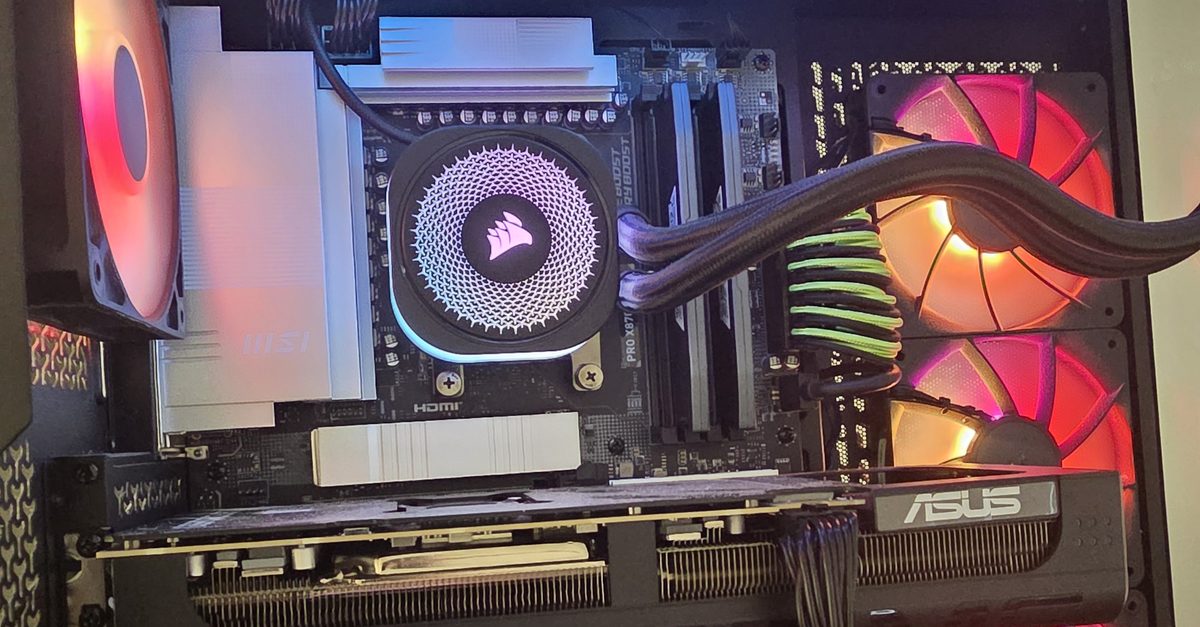
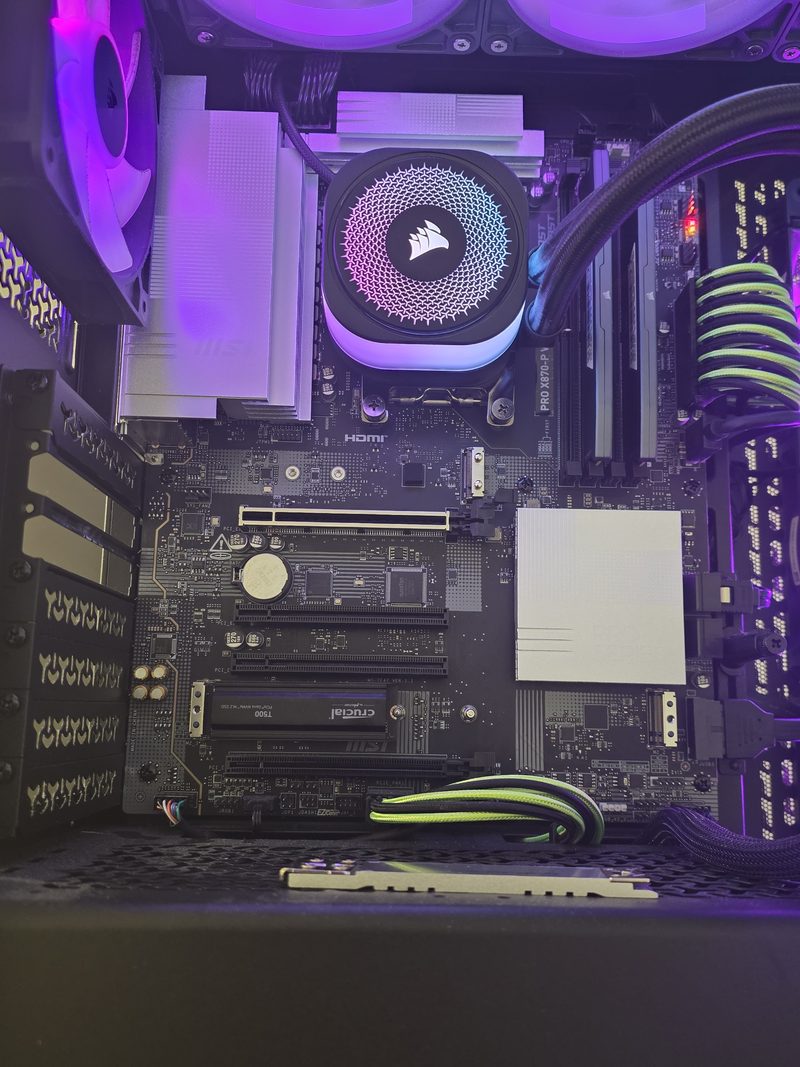
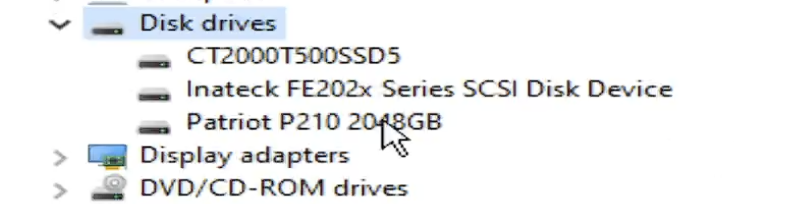
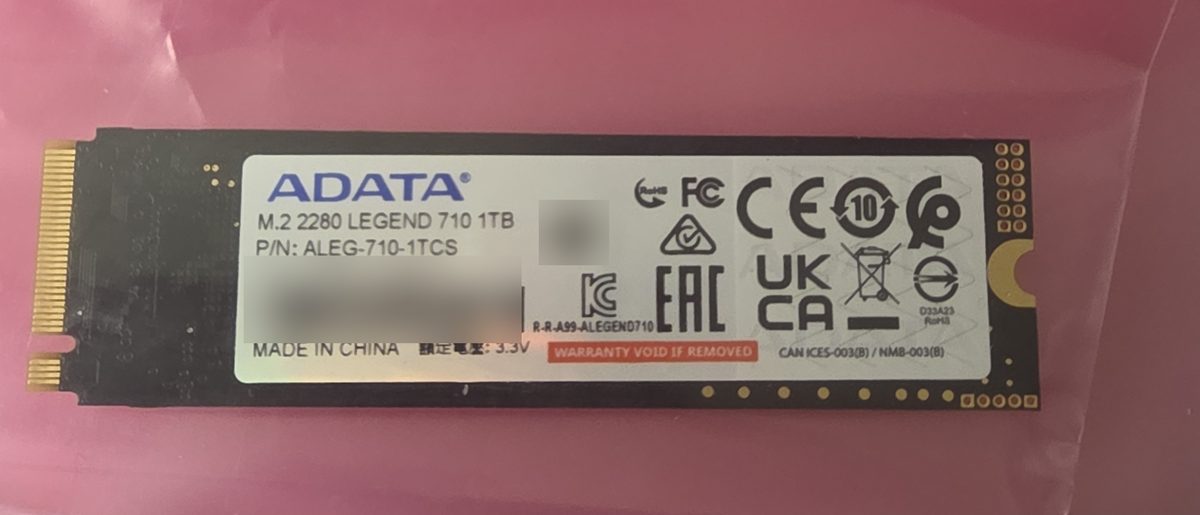
The PC itself is a smart build: MSI PRO X870-P board, Corsair AIO and RAM, an ASUS RTX card, and three drives. An ADATA Legend 710 1TB NVMe with Windows on it, a Crucial T500 2TB NVMe, and a Patriot P210 2TB SATA SSD.
The graphics card had to come out to get at the M.2 slots. With the ADATA plugged in it only half posted. It got as far as a black screen, where a cursor blinked a couple of times in the top left corner and then disappeared. After that, nothing. With the ADATA out, it posted straight away.
Tested on its own, the ADATA was dead. I booted the PC into Hiren's BootCD PE from USB to check the rest, and the T500 and the Patriot both tested fine.
I sent the news back about an hour and a half after it arrived. Whatever was on the ADATA is lost. Thankfully there wasn't much on it that mattered.
The fix
I could have moved Windows onto the T500, but both surviving drives had personal files on them alongside games and archives, so wiping either one wasn't happening. The other option was a new drive for Windows. As it turned out, the owner already had a spare 2TB drive at home and dropped it round.
Windows went onto that with a clean install and drivers. The T500 and the Patriot weren't touched, so every file on them was still there when the PC went home.
If you're seeing BAD_SYSTEM_CONFIG_INFO
Try the usual software fixes first. They do work when the registry or the boot files really are the problem, and that's still the more common cause, especially after a failed update or a bad shutdown.
But if two or three repairs make no difference, stop and check the drive before trying a fourth. These are the signs I'd take seriously:
- Reset this PC won't start, or fails partway through
- The Windows drive is missing from the BIOS, or the boot order keeps losing it
- From the recovery command prompt,
diskpartthenlist diskdoesn't show the drive, or shows it with the wrong size - Games or programs throwing strange file errors in the hours or days before it stopped booting
- The PC hangs on a black screen with a blinking cursor in the corner, then starts normally with that drive unplugged
The CMOS battery wouldn't have helped here. It resets BIOS settings, and nothing was wrong with them.
What would have helped is a backup. There was 4TB of storage across the other two drives, and a copy of anything important on there would have cost nothing. SSDs rarely give much warning, and that odd game error was about all this one gave. An old mechanical hard drive will often click or slow to a crawl before it goes. I've written up how to back up your PC and what to do when a drive fails if you want the longer version.
If you're in Haydock or anywhere around St Helens and your PC keeps throwing blue screens or won't start properly, get in touch to book it in and I'll find out if it's software or hardware before you lose an evening to it. Faults like this are a big part of my gaming PC repair work.

Mark has been fixing computers since the late '90s and went self-employed in 2008. Based in St Helens since 2013, he works evenings and weekends from his home in Laffak, doing friendly, affordable repairs for PCs, laptops, and Macs. See reviews on Google
Blue screens or a PC that won't start?
I'll work out if it's Windows or the hardware, tell you what it needs, and get it booting again. Message me to book a time to drop it off.
★★★★★"He booked me in on the Sunday morning, quickly diagnosed the issue and it was fully fixed by the afternoon."
— Tom Fletcher, via Google