RTX 4060 to RTX 5070 Upgrade and a New 750W PSU in a PCSpecialist PC
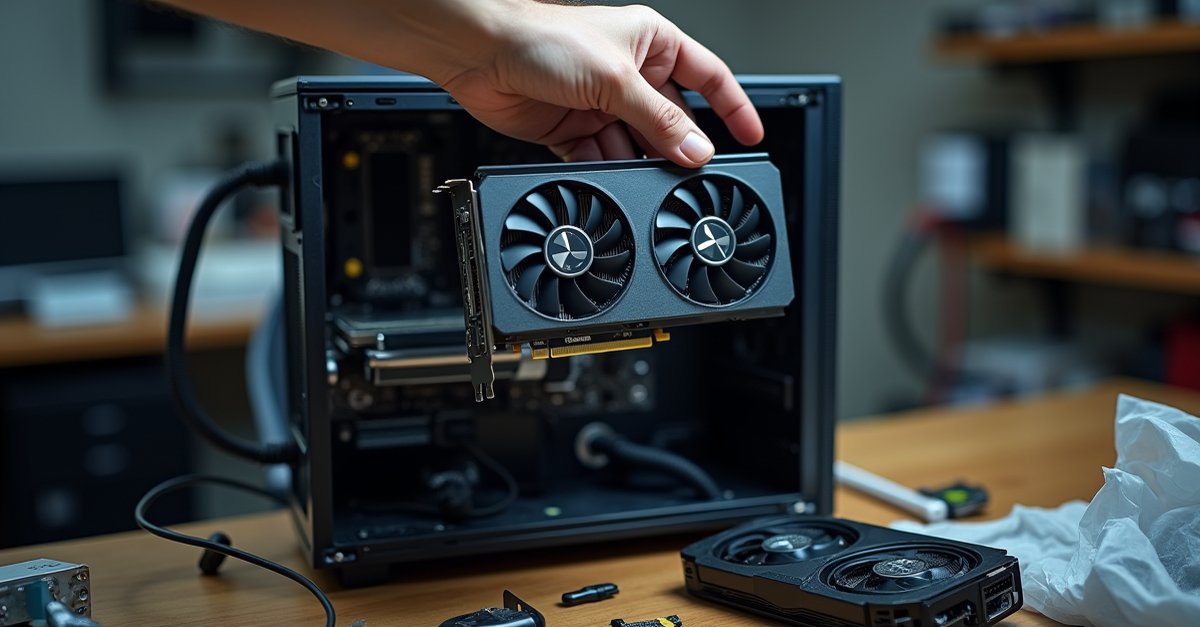
A PCSpecialist gaming PC in Laffak, St Helens
This PC came from Laffak, just round the corner from me. It's a PCSpecialist gaming PC that had an RTX 4060 graphics card and a 550W Corsair power supply, and the owner wanted a graphics card upgrade. I fitted an RTX 5070 and a new 750W power supply.
Why the power supply had to go too
The RTX 4060 doesn't use much power. It draws around 115W, and Nvidia recommends a 550W power supply for it, which is what this PC was built with. The RTX 5070 draws around 250W, more than double, and Nvidia recommends 650W.
With a 5070 on the old 550W unit, a long gaming session with the processor busy as well would have it running close to its limit. That's when you start getting random shutdowns and restarts. I wrote about that in PC keeps restarting by itself.
The new one is a Corsair CX750, a 750W 80 Plus Bronze unit from the same range as the 550W one that came out. That's 100W over Nvidia's figure, which leaves room for a processor upgrade later.
Why a dual-fan RTX 5070
Some RTX 5070s are long triple-fan cards that don't fit in a lot of prebuilt cases. I went with the ASUS Dual RTX 5070 OC, a shorter two-fan version, so it would fit this case.
Getting the CPU power plug out
Swapping the power supply was the fiddly part. Every cable from the old one comes out, and the cables from the new one go back in the same places. The hardest one was the CPU power plug at the top of the motherboard. In this PC it sits between the heatsinks on the VRMs (the parts that feed power to the processor) and the AIO water cooler, with hardly any room to get your fingers on the clip.
It took care and effort to get it out and back in without forcing anything. Pulling hard on a plug in a tight spot like that is an easy way to damage the socket or knock the cooler.
FurMark before and after
I ran FurMark on the old card and the new one. The RTX 4060 scored 8,640. The RTX 5070 scored 16,800, nearly double. FurMark also runs the card at full load for the length of the test, so it's a good check that the new power supply copes.
Windows updates, bloatware and drivers
While it was in, I installed all the Windows updates, took the bloatware off, ran a disk cleanup and updated the drivers, including the Nvidia driver for the new card.
Before you buy a new graphics card
Check the power supply first. The wattage is on the label on the side of it, and Nvidia and AMD give a recommended figure for every card. Prebuilt PCs often come with a power supply sized for the card they shipped with and not much more, like this one did.
Measure the space in your case too, from the back of the case to whatever sits in front of the card (usually the front fans), and compare it with the card's length on the maker's website.
If you're upgrading because games stutter, make sure it's the card that's holding you back. There are other causes, and I've covered them in FPS drops and stuttering in games.
If you're in Laffak or anywhere around St Helens and want a graphics card or power supply fitted, get in touch to book it in. Upgrades like this are part of my gaming PC repair and computer upgrade work.

Mark has been fixing computers since the late '90s and went self-employed in 2008. Based in St Helens since 2013, he works evenings and weekends from his home in Laffak, doing friendly, affordable repairs for PCs, laptops, and Macs. See reviews on Google
Thinking about a graphics card upgrade?
I'll check what your PC can take, power supply included, and fit it for you. Message me to book a time to drop it off.
★★★★★"Local and reliable. Spoke to Mark one day and the next my computer was sorted. Absolutely smashed it. Will definitely use again"
— Scott Jowett, via Google