A BIOS Update Gone Wrong on a B450 Gaming PC in Prescot, and Getting Secure Boot On for Call of Duty
This gaming PC came over from Prescot completely dead. Fans spinning, lights on, nothing on the monitor. Not even the BIOS screen.
The owner had been trying to get it ready for Call of Duty: Modern Warfare 4. By the time it reached me, a ten-minute settings problem had turned into a board that wouldn't start. Nobody did anything daft here. He followed advice he'd found online, and the advice was wrong for where he was. So I've written it up, because I'd bet he isn't the only one.
Why he was updating the BIOS in the first place
Call of Duty: Modern Warfare 4 won't let you play any online mode on PC unless TPM 2.0 and Secure Boot are both switched on. Activision's own guidance tells players who hit problems to check for a BIOS update, so that's what he did. The board is a Gigabyte B450 Aorus Elite with a Ryzen 5 5600, a very common budget gaming combo from a few years back.
He downloaded the latest BIOS, flashed it, and the flash worked. Then Windows wouldn't boot.
That bit is normal. A BIOS update puts every setting back to factory defaults, boot order and boot mode included. Windows is still on the drive. The board just isn't looking for it the right way any more, and sorting it out is a trip into the boot menu.
Where it went wrong
Instead of the boot menu, he went searching and found advice saying Gigabyte BIOS updates have to be done in stages. So he flashed the board all the way back to F32, planning to step back up.
F32 is old. It came out before Ryzen 5000 chips existed, and support for those only arrived in the F60 versions. Give a board a CPU its BIOS doesn't recognise and it won't POST. No picture, no BIOS menu, and so no way to flash it again from the board's own menu. That's where he got stuck.
The frustrating part is that the staged advice isn't made up. Gigabyte's download page for this board says every newer version needs you to follow the steps under F40, and those steps say to be on F32 before F40 if you're using Q-Flash. F40 changed how the BIOS chip is laid out, so later versions depend on it. But that rule is for climbing up from an old BIOS. He was already on the newest one, miles past F40. Going backwards was the one thing he needed to avoid.
Getting it to POST again
Some Gigabyte boards have Q-Flash Plus, a button on the back panel that flashes a BIOS straight from a USB stick with no CPU or memory needed. The B450 Aorus Elite doesn't. With no way to flash it without a working CPU, the only route back was a CPU that F32 does understand.
I fitted a spare Ryzen 3 2200G, an older APU that this BIOS supports, and it posted. From there it was a climb back up the proper way:
- Flashed F40, the version Gigabyte says everything has to pass through
- Flashed F68c, the current release from August 2026, which also includes AMD's latest firmware TPM fixes
- Powered off, took the 2200G back out and refitted his 5600 with fresh thermal paste
- Set the boot order so Windows Boot Manager came first
Windows started. Nothing lost, nothing reinstalled.
Windows booted, but Secure Boot was still off
Which was the whole point. Turning it on took these changes in the BIOS:
- CSM Support to Disabled. CSM is the compatibility mode for old-style legacy booting, and Secure Boot won't run while it's on.
- Storage Boot Option Control to UEFI Only.
- Secure Boot enabled, with Secure Boot Mode set to Custom.
- Reset Keys.
Those last two were the fiddly part. Leaving it on Standard, or trying the other key options, got nowhere. Secure Boot stayed off. Only Custom followed by Reset Keys worked. My guess is that the downgrade and re-flash left the key store in a state Standard mode wouldn't use, and resetting put the factory keys back. Either way, if you're stuck on this board, that's the combination to try.
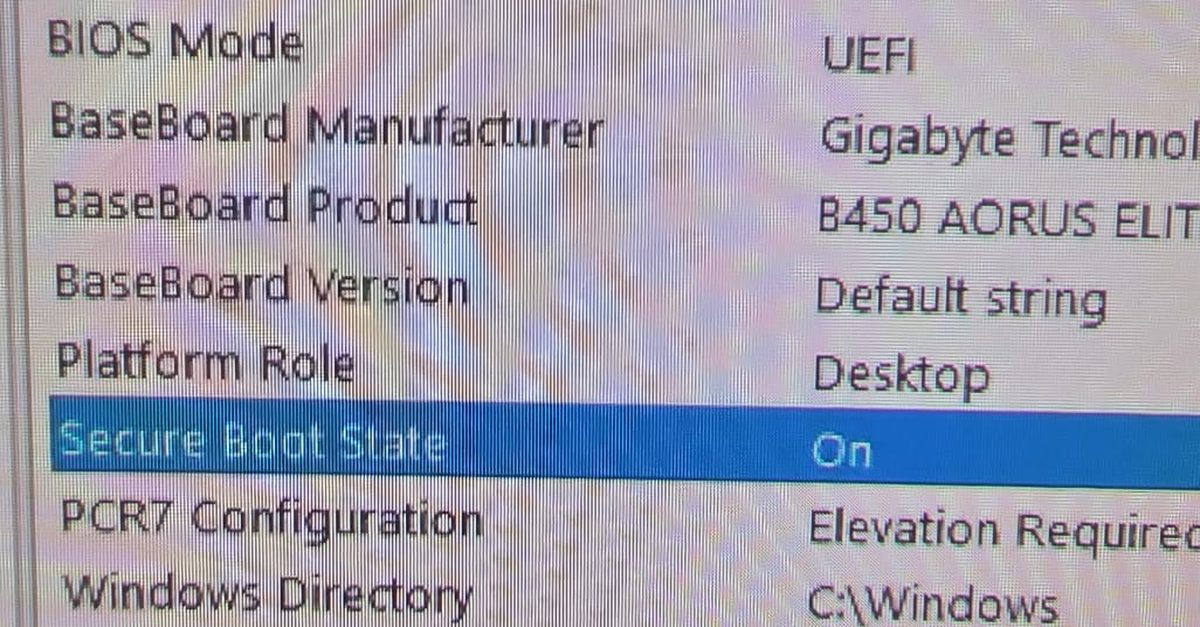
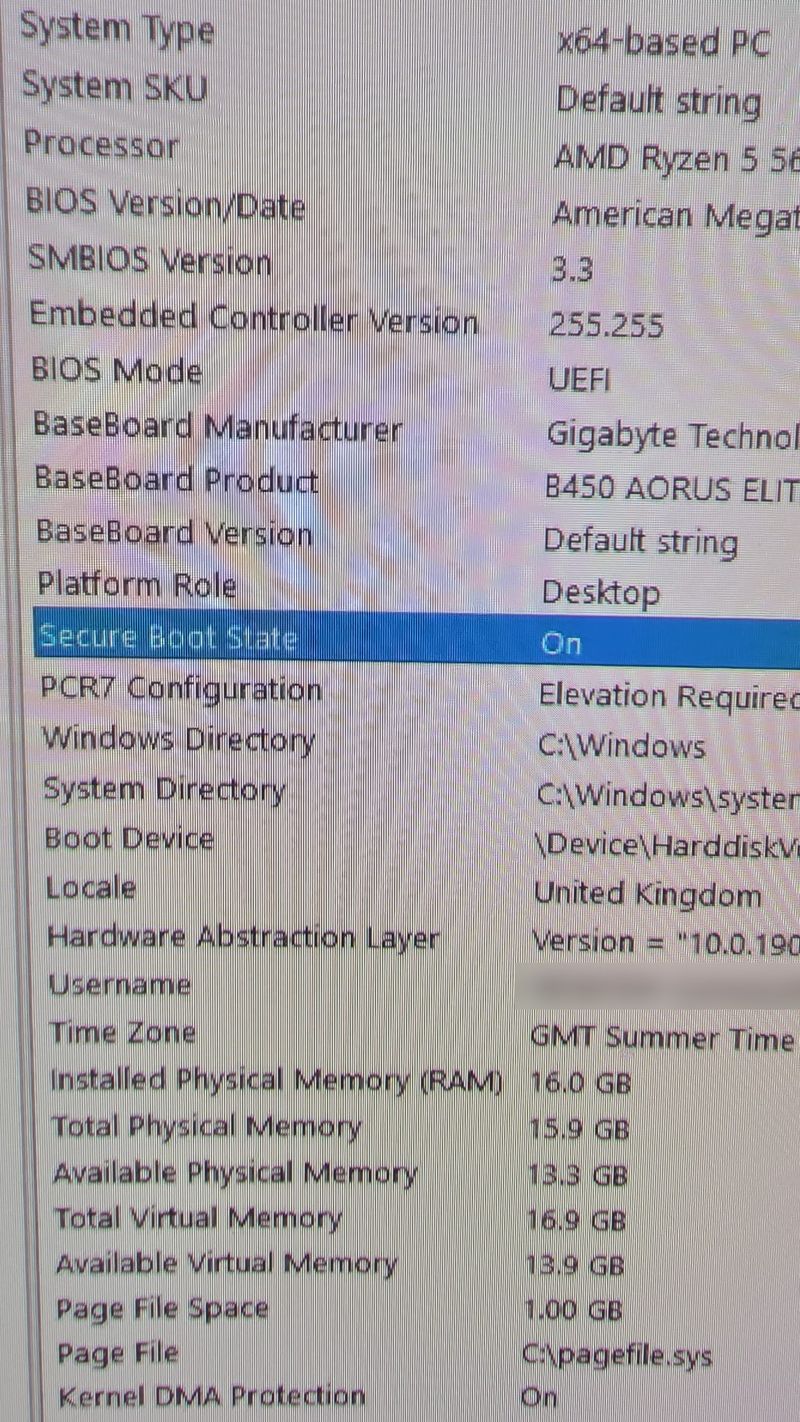
After a restart, System Information showed Secure Boot State: On. I took a photo of the screen before he collected it.
Why it didn't need a reinstall
Secure Boot only works if Windows boots in UEFI mode from a GPT disk. Plenty of older installs were set up in legacy mode, and on those, switching CSM off means Windows simply won't start until the disk is converted or Windows goes back on.
I'd half expected a reinstall and asked him earlier in the day whether he wanted Windows 11 if it came to it. It didn't. Windows turned out to be on his WD SSD rather than the Crucial drive I'd assumed, and it was already installed in UEFI mode, so with CSM off it booted straight up.
It is still Windows 10, though. Call of Duty accepts Windows 10 (version 22H2 or later), but Microsoft's free security updates only run until October 2027 under the extended scheme. That's a job for another day, and I've covered the options in upgrading from Windows 10 to 11.
If you're doing this yourself
Before you flash anything, open the support page for your exact board and check the CPU support list. Every BIOS version is listed against the chips it handles. If you go below your CPU's first supported version, the board won't start, and getting it back means a spare CPU or a flashback button.
If Windows won't boot after a BIOS update, go into the BIOS and look at the boot options before you do anything else. Windows Boot Manager should be first. Nine times out of ten that's the whole fix.
Read the update notes on your own board's download page, not a forum thread about a different board. The staged rules vary between models, and they only ever apply going up.
For Call of Duty on an AMD system you need CSM off, Secure Boot on and the firmware TPM enabled (on Gigabyte AM4 boards it's AMD CPU fTPM under Settings, then Miscellaneous). Activision also checks the TPM firmware is recent, so the latest BIOS is worth having. To confirm, press Windows + R, type msinfo32 and look for Secure Boot State: On.
It isn't only Call of Duty. A lot of the big online games now check for the same things, and the list keeps growing.
Popular PC games that need Secure Boot (October 2026)
| Game | What happens without Secure Boot and TPM 2.0 |
|---|---|
| Call of Duty: Modern Warfare 4 | No online modes at all, multiplayer or DMZ |
| Call of Duty: Black Ops 7 and Warzone | Locked out of Ranked Play and some playlists, and you may get matched with other players who don't meet it |
| Battlefield 6 | Won't run on PC |
| Battlefield 2042 | Won't run, EA added the same rule in a later patch |
| Valorant | Riot Vanguard blocks it on Windows 11 |
| League of Legends | Same Vanguard rule as Valorant on Windows 11 |
| Fortnite | Normal play is fine. All tournaments need Secure Boot, TPM and IOMMU (AMD-Vi or Intel VT-d) since February 2026 |
| Rust | Facepunch is rolling the requirement out alongside Easy Anti-Cheat |
Not on the list: GTA Online uses BattlEye, which doesn't check for Secure Boot, and Rockstar hasn't announced a requirement. The big MMOs like World of Warcraft and Final Fantasy XIV don't ask for it either, at least not yet.
Requirements change with patches and new seasons, so check the game's own support page if you're unsure. Most of these also want Windows 10 22H2 or Windows 11.
I've written more about what Secure Boot does, and the certificate change this year, in the Secure Boot certificate expiry.
This one was fixed and back with its owner the same day. If you're in Prescot or anywhere else around St Helens and your PC has gone dark after a BIOS update, stop flashing things and get in touch to book it in. Getting boards like this back is part of my gaming PC repair work.

Mark has been fixing computers since the late '90s and went self-employed in 2008. Based in St Helens since 2013, he works evenings and weekends from his home in Laffak, doing friendly, affordable repairs for PCs, laptops, and Macs. See reviews on Google
PC stuck after a BIOS update?
I can get it starting again and set up Secure Boot and TPM so your games will run. Message me to book a time to drop it off.
★★★★★"Fixed within the day, great service"
Joe Butterworth, via Google