Why Is Your PC So Loud? How to Fix a Noisy Computer
A PC shouldn't sound like a jet engine. If yours has started making noises it didn't used to make, or it's always been loud and you've just been putting up with it, it's worth working out what's causing it. Some noises are harmless. Others are your PC trying to tell you something is about to fail.
Let's go through the most common PC noises, what they actually mean, and whether you should be worried.
The Noise Identifier
Fan Noise: The Most Common Culprit
Nine times out of ten, a loud PC is a fan problem. Your PC has at least two or three fans: CPU cooler, case fans, and possibly a GPU fan. When any of these start running at full speed constantly, the noise becomes very noticeable.
Dust buildup
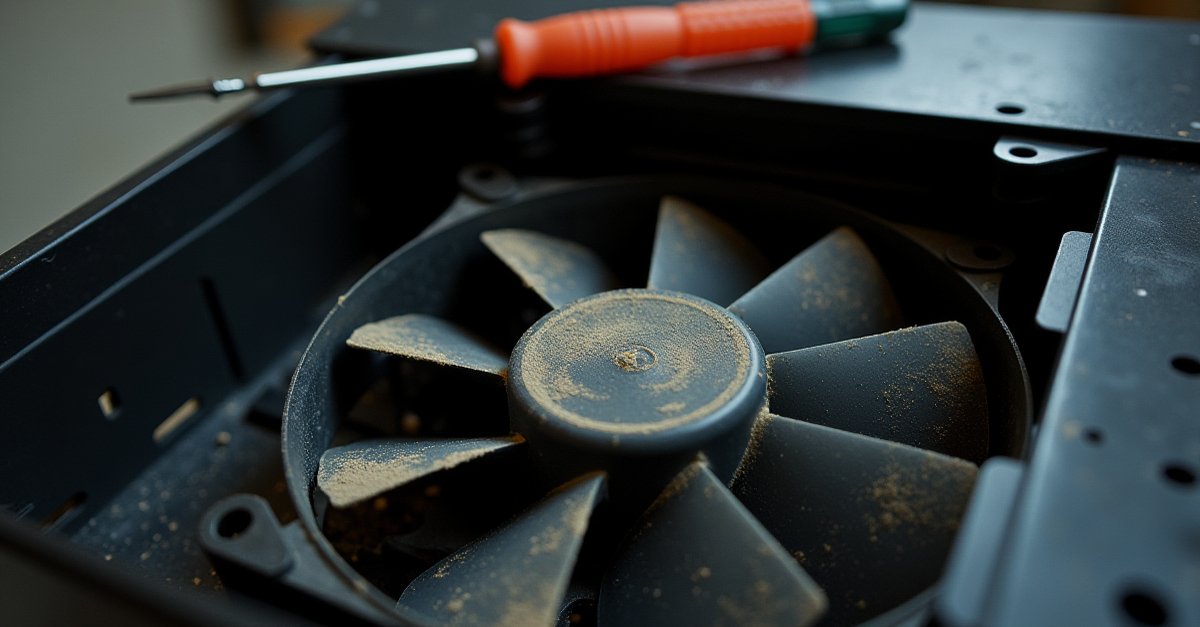
This is by far the most common cause. Dust clogs the heatsink fins and coats the fan blades, restricting airflow. The CPU gets hotter, so the fans spin faster to compensate. Over time it gets worse and worse until the PC sounds like it's about to take off.
The fix for a desktop is simple: open the side panel, use a can of compressed air, and blow the dust out of the heatsinks and fans. Pay special attention to the CPU cooler and any filters on the front or bottom of the case. For laptops it's the same problem but you'll need to remove the bottom panel to get at the fans properly. I covered this in more detail in my post on common PC problems.
Failing fan bearings
If the noise is more of a grinding, clicking, or rattling rather than just loud whooshing, the fan bearing is probably going. You can test this by gently holding each fan still for a second (with the PC off and unplugged) and feeling for play or roughness in the bearing. A healthy fan spins smoothly; a dying one feels gritty or wobbles.
A replacement case fan costs a few pounds. CPU cooler fans are a bit more, but still cheap. Don't ignore a failing fan. If it seizes completely, the component it's cooling will start overheating, and that's when real damage happens. Laptops that overheat constantly will degrade the battery faster too.
Bad fan curve
Some PCs (especially custom builds or gaming machines) have fan speeds set to ramp up aggressively even at moderate temperatures. The fans hit 100% speed when the CPU is only mildly warm. This makes the PC louder than it needs to be.
Most motherboards let you adjust the fan curve in the BIOS, telling the fans to stay quieter at lower temperatures and only ramp up when it's actually needed. Software like Fan Control (free) can do this from within Windows too. Just don't set your fans too low. The whole point is cooling.
Hard Drive Clicking: Take This Seriously
If you hear a repetitive clicking or ticking sound coming from inside your PC, and it's not a fan, it's almost certainly the hard drive. This is the sound of the read/write head struggling to find data or repeatedly failing to read a sector.
Sometimes a clicking drive will limp along for weeks. Sometimes it fails the same day you first hear it. There's no way to predict it, so don't gamble with your files.
The permanent fix is replacing the hard drive, ideally with an SSD, which has no moving parts and is completely silent. If you've got a spinning hard drive in your PC, upgrading to an SSD is the single best thing you can do for both noise and performance.
Coil Whine: Annoying but Harmless
Coil whine is a high-pitched electrical whine or squeal that usually comes from the graphics card or power supply. It's caused by tiny vibrations in the electrical components (inductors) when high amounts of current pass through them. You'll notice it most during gaming or other GPU-heavy tasks, and it often changes pitch depending on the framerate.
The important thing to know: coil whine is completely harmless. It doesn't mean anything is broken or about to break. It's just an annoyance. Some graphics cards and power supplies whine more than others, it's just manufacturing luck.
Things that can help reduce it:
- Cap your framerate. V-Sync or a frame limiter reduces the load on the GPU, which often reduces the whine
- Use a different power supply. Sometimes a higher quality PSU reduces whine because it provides cleaner power
- Wait it out. Coil whine sometimes lessens over the first few weeks as the components "settle in"
If the whine is extreme and the card is brand new, you may be able to get a replacement under warranty, but most manufacturers consider mild coil whine to be normal behaviour.
Buzzing and Vibrating: Usually Loose Hardware
A buzzing or vibrating noise that seems to come from the case itself (especially one that changes or stops when you press on a panel) is almost always something loose. Common culprits:
- Side panel screws: not tightened fully, the panel vibrates against the frame
- Hard drive mounting: a spinning hard drive generates vibration, and if the rubber grommets or screws are loose, the whole drive bay resonates
- Fan screws: one loose screw on a fan mount and the whole thing vibrates
- Loose cables: a cable sitting against a fan blade will make a ticking noise every time the blade passes it
The fix is usually just opening the case and tightening a few things. Check all the screws on the side panels, fans, and drive mounts. Make sure no cables are touching any fan blades. Five minutes with a screwdriver and the buzzing usually stops completely.
When to Worry and When to Relax
Most PC noise is just a maintenance issue: dust, loose screws, or fans that need replacing. These are cheap and easy fixes. The one noise you should never ignore is hard drive clicking. That's your warning to act fast before data is lost.
If your PC has suddenly got louder than usual and nothing obvious has changed, it's worth investigating. A PC that's running hot because of dust or a dead fan is slowly cooking its own components, and fixing it now is a lot cheaper than replacing a CPU or GPU that's been overheating for months.

Mark has been fixing computers since the late '90s and went self-employed in 2008. Based in St Helens since 2013, he works evenings and weekends from his home in Laffak — friendly, affordable repairs for PCs, laptops, and Macs. See reviews on Google
PC making strange noises?
If your computer is louder than it should be and you're not sure what's causing it, or you'd rather not open it up yourself, get in touch. I can diagnose the noise, clean it out, replace any failing fans, and get it running quietly again.
★★★★★"I highly recommend you contact Mark when you run into pc trouble. He is very professional and did my repair quickly and was willing to give me sound advise as well. Thanks again."
— franny, via Google