UK Scam Alerts, September 2026
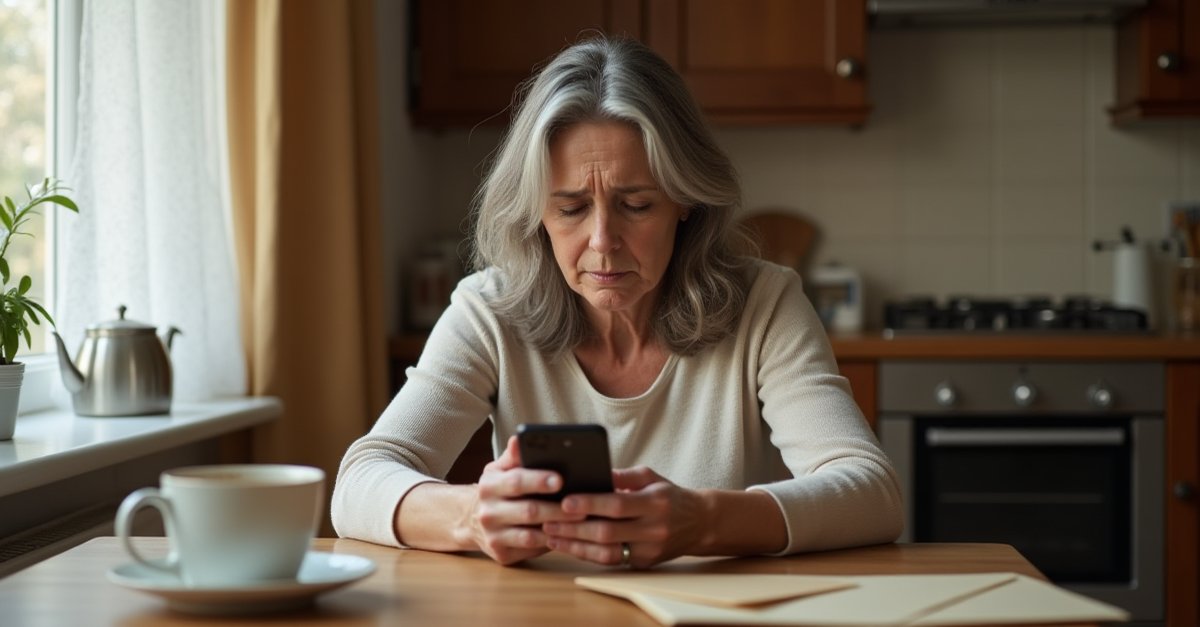
Three of the scams doing the rounds at the end of August are all aimed at your phone, and two of them come from someone who already knows a bit about you. That's what makes them work. They don't sound like a stranger fishing, they sound like your network calling about your account.
Here's what's happening, in the order it landed.
28 September: WhatsApp screen-sharing scam, student finance fraud, and Action Fraud impersonation calls
Three more before the month is out. The WhatsApp screen-sharing scam has been building across September. Student Finance payments started landing this week, which is the trigger scammers plan around.
1. WhatsApp screen-sharing fraud
Which? has received a steady stream of reports over the past few weeks. Someone rings you claiming to be from your bank, the police, or the FCA. There's suspicious activity on your account and you need to help them deal with it. They ask you to start a WhatsApp call and, once you're on, they ask you to tap the screen-share button so they can "see the problem."
The moment you share your screen, they can see everything: your banking app while you use it, one-time passcodes arriving in real time, passwords as you type them. Some victims don't realise anything has gone wrong until the account is empty.
No bank, police force, or financial regulator will ever ask you to share your WhatsApp screen. If an unsolicited caller suggests it, hang up. It doesn't matter how official they sound or how much they already seem to know about you. Reported by Which?.
2. Student Finance phishing as maintenance payments land
The Student Loans Company pays around £2.6 billion in maintenance support to 1.1 million students every September, and scammers plan around that. Messages claim there's a problem with the payment, blocked account, missing bank details, update required urgently, and link to a fake SLC login page.
Last academic year, 1,100 students had their account details altered by fraudsters and £519,000 was stolen. The SLC issued a fresh warning this week as the new term's payments went out.
SLC will never ask you to confirm bank details or personal information by email or text. If a message about your student finance worries you, go to gov.uk directly and log in from there, not via any link in a message. Reported by the Student Loans Company via GOV.UK, also flagged by FraudWatch Alert #45.
3. Callers posing as Action Fraud or police officers
Humberside Police issued a warning this week about a script doing the rounds. The caller claims to be a police officer or bank official who tells you there's an insider fraud problem at your bank and your money needs to be protected right away. You're told to withdraw cash and hand it to a courier who'll come to your door.
In a separate variant, the caller claims to be from Action Fraud and asks you to press a number to speak to an "adviser" who then wants your bank details and PIN.
No police force or fraud service will ever send a courier to collect your cash. Action Fraud does not make outbound calls asking for your bank details. Hang up and ring 101 to report it. Reported by FraudWatch Alert #46.
25 September: Booking.com booking fraud and Argos account break-ins
Two worth flagging this week. One makes use of customer data stolen from Booking.com back in April. The other is credential stuffing hitting Argos accounts at volume.
4. Fake payment requests using your real Booking.com booking details
The Booking.com breach in April 2026 exposed booking data for a large number of customers: names, email addresses, phone numbers, travel dates, hotel details. Criminals who got hold of that data have been using it to send messages that reference your actual booking.
The message says there is a payment problem with your reservation and asks you to confirm card details or click a link to "verify" the booking. Because it mentions the right hotel, your real travel dates, and your name, it reads exactly like a legitimate message from the platform or the hotel.
Booking.com will not ask you to make a payment or share card details by email, text, WhatsApp, or phone. If a message about your booking asks you to pay again or enter card details, log into booking.com directly to check your reservation. Any genuine issue will be visible in your account. If you have already entered payment details via a link, call your bank straight away.
Reported by Computing.co.uk. Malwarebytes and HSBC are both flagging this as an active threat; Norton researchers are calling the technique "reservation hijacking."
5. Argos account break-ins using recycled passwords
Criminals are getting into Argos accounts by trying email and password combinations leaked from other breaches. When someone has used the same password on Argos as on a site that was previously compromised, the door opens. Which? reports that Report Fraud has received 1,175 complaints involving Argos accounts since January, with 652 of those in May alone.
Once in, they place orders to different delivery addresses, use saved payment details, or lock the original owner out by changing the email address on the account.
Argos is contacting customers it believes may be affected. If you get one of those emails, take it seriously and change your password. If you have been using the same password anywhere else, change those too. A different password for each account is the only thing that stops one compromised site taking down the rest.
Reported by Which?.
22 September: Barclays fake direct debit text
Which? flagged this on the 21st. Same technique as the Nationwide standing order text from a few weeks ago, but landing in Barclays customers' message threads this time.
6. Barclays "new direct debit" smishing text
The text arrives in your existing Barclays message thread (scammers spoof the same sender ID as your real bank) and says a direct debit has just been set up on your account. There's a phone number to ring if you didn't authorise it.
That number goes to the scammer. Call it and you'll be walked through questions designed to strip out your card details, memorable information, and date of birth. Some victims end up approving a transfer to a "safe account" the fraudster controls.
Barclays will never put a callback number in a text message. If a text about your account worries you, ring the number on the back of your card or check the app. Never call any number that arrived in a message, no matter whose conversation thread it appears in.
Reported by Which? on 21 September 2026. GB News also covered it separately, noting Barclays issued its own warning to customers.
19 September: fake iPhone 18 sites and a TV Licensing threat
The iPhone 18 Pro Max launched yesterday, which was apparently enough for fraudsters to spin up a wave of fake pre-order sites. Meanwhile, a TV Licensing phishing email is catching people out by addressing recipients by name.
7. Fake iPhone 18 websites ahead of the launch
A cluster of fake sites appeared in the days before the iPhone 18 Pro Max launched on the 18th, all using "Apple" or "iPhone 18" in their domain names. Countdown timers and artificially low prices push you into handing over card details before the imaginary deal runs out.
Apple sells iPhones through apple.com and authorised retailers. No legitimate site cuts the price of a brand-new iPhone by the kind of margin these fake pages advertise, and Apple does not sell through random domains registered a week before launch. If a deal on a new iPhone looks too good to be true, it is.
If you've already entered payment details on one of these sites, call your bank straight away and report the site to the NCSC at ncsc.gov.uk. Reported by Which? on 14 September 2026.
8. TV Licensing "failed payment" email
This one is addressed to you personally, which is what makes it convincing. The email says your TV Licence direct debit has failed and threatens a fine of up to £1,000 or prosecution for using licensable services without a valid licence. There's a link to sort it out.
That link goes to a copycat site designed to steal your details.
TV Licensing does send genuine reminder emails, and genuine payment failure messages do arrive in inboxes. The difference is that genuine ones don't threaten prosecution in the same breath, and the real site is tvlicensing.co.uk, not whatever URL is hiding behind the email link. If you're worried about your licence status, type the address yourself. Don't click.
Reported by Which? on 16 September 2026.
9 September: fake PayPal emails threatening account closure
Which? flagged this on the 9th. A lot of people have PayPal accounts they haven't touched in a while, which is exactly what makes this one land.
9. "Your PayPal account closes in 90 days" phishing email
The email is styled to look like a genuine PayPal notification. It says your account hasn't been used in over three years and will be permanently closed in 90 days. Click the link to "create a new account" and keep your balance. That link goes to a copycat site designed to harvest whatever you type into it: login credentials, card details, address, date of birth.
Genuine PayPal emails always address you by your full name, not "Dear Customer" or just "Hello." PayPal does not permanently close accounts for inactivity. Unused accounts may be restricted from sending money, but no genuine fix ever involves clicking a link from an email. If you're unsure about your account status, type paypal.com into your browser and log in directly.
Forward the email to report@phishing.gov.uk and to phishing@paypal.com. If you've already clicked and entered details, change your PayPal password straight away from a different, trusted device. Any other account using the same password needs changing too, especially email and online banking.
Reported by Which? on 9 September 2026. Report Fraud has also issued a separate alert noting that fake PayPal emails have cost UK victims over £1 million.
7 September: Halifax customers targeted by copycat site email
A Halifax impersonation email making the rounds, picked up by Which? on the 7th. Nothing particularly clever in the technique. Just a link and a fake site. Halifax is one of the UK's biggest high-street banks, so that's the whole point: wide net, even with a low hit rate.
10. Fake Halifax email leads to copycat login page
The email asks you to confirm your personal information, with a link to do it. That link goes to a site styled to look like Halifax, and anything you type into it goes straight to whoever built the fake page: login details, date of birth, address, card numbers.
Halifax won't ask you to confirm personal information via an email link. Banks don't work that way. If there's a genuine issue with your account you'll find it when you log in through the app or at halifax.co.uk, typed directly into your browser, not by clicking something that arrived in your inbox.
Forward the email to report@phishing.gov.uk. If you've already clicked and entered details, call Halifax straight away on the number on the back of your card and change your password from a different, trusted device.
Reported by Which? on 7 September 2026.
28 August: fake Three calls with a 24-hour cut-off threat
Which? flagged a run of calls from people claiming to be Three customer service. The hook is a deadline, and it's a tight one.
11. "Your number stops working in 24 hours"
The caller says there's a problem with your account and your number will stop working within 24 hours, or that your SIM is about to be blocked. Sometimes it's a billing issue. Sometimes it's a security check that's failed. Either way the fix is the same: confirm some details, or pay a small activation fee to keep the line running.
The deadline is the whole trick. Nobody thinks clearly with a clock ticking, and a mobile number going dead is a genuinely frightening prospect if it's attached to your bank's two-factor login, your work, your family. So people answer the questions. Full name, address, date of birth, account password, card number for the fee. All of it handed over inside five minutes to someone who rang you out of the blue.
Three will not phone you with a 24-hour deadline. Networks don't operate that way. If there's a real problem with your account you'll hear about it by text or in the app, and you'll have time.
If you get a call like this, hang up. Then ring Three yourself using the number on their website or the back of your SIM packaging. Use a different phone if you can, or wait a couple of minutes before dialling. And never read out account details or passwords to anyone who has called you.
Reported by Which? on 28 August 2026.
26 August: fake Nationwide standing order texts
This one lands in your actual Nationwide message thread, sitting right next to every genuine text the bank has ever sent you. Which? flagged it at the end of August.
12. The spoofed callback standing order scam
The text says a new standing order has been set up on your account, for an amount and reference you don't recognise, and gives you a number to ring if it wasn't you. The urgency is built right in: your money is apparently leaving your account right now.
That phone number is the scammer. Ring it and you'll be walked through "security questions" that are really designed to pull out your card details, date of birth, and memorable information. Some victims are then told a payment needs reversing and end up approving a transfer to a "safe account" the fraudster controls.
Nationwide will never put a callback number in a text. Full stop. If a bank text worries you, ring the number on the back of your card or go into a branch. Never ring any number that arrived in a message, even if it's sitting in your bank's genuine conversation thread.
Reported by Which? on 26 August 2026.
20 August: O2 customers talked into reading out their own passcode
This one is cleverer, and it's the sort I hate seeing because the victim does everything right up until the last second.
13. The one-time passcode account takeover
The scammer already holds part of your O2 account details, probably scraped from an old data breach. They use those details to trigger a genuine one-time passcode, which arrives on your phone from O2's real number, in the same thread as every other legitimate message you've had from them.
Then they ring you. They're from O2 customer service, they're calling about a request on your account, and they need to verify your identity. Can you read back the code that was just sent to you?
The code is real. The message is real. That's why it works.
Once they have it, they own the account. Password changed, calls redirected, international roaming switched on, and you're locked out of the thing that half your other logins depend on. Sorting out a hijacked mobile account takes days.
A passcode sent to your phone is for you to type in, never to say out loud. No legitimate company will ask you to read one back over the phone. Not O2, not your bank, not Amazon, not anybody. If someone asks, that alone tells you exactly who they are. Hang up, and if the code arrived without you asking for it, ring O2 on a number you've looked up yourself and tell them.
Reported by Which? on 20 August 2026.
19 August: fake brand apps and DVLA vehicle tax scams
This is the serious one. Report Fraud and the NCSC have both warned about it, which doesn't happen for small campaigns.
14. Spyware hiding behind 65 familiar brand names
It starts with a text. A deal, a refund, a delivery, a job offer. More than 65 brands are being impersonated in the campaign, among them Ryanair, Amazon and various government services, so whatever the message says it will look like something you might plausibly be expecting.
The link goes to a convincing enough site that then asks you to install an app. Not from Google Play or the App Store, but directly from the page. And once that app is on the phone it can watch your screen in real time and remotely switch on the microphone and the camera.
Read that again, because it's worse than it sounds at first. Real-time screen access means they see your banking app while you use it, your passwords as you type them, your messages as they arrive. The microphone and camera mean they can listen to and watch whatever is happening around the phone. There's no part of the device left private.
Never install an app from a link in a text message. Genuine apps live on Google Play and the Apple App Store, and nowhere else. If a website is telling you to sideload something, or your phone throws up a warning about installing from unknown sources, that warning is the whole story. Stop there.
If you've already tapped a link and installed something, don't just delete the icon and hope. Apps like this are built to run invisibly and some of them are awkward to remove properly. The phone needs checking, passwords need changing from a different device, and your bank needs telling.
Reported by Which? on 19 August 2026, with an accompanying advisory from the NCSC.
15. DVLA vehicle tax fine threats
An email claiming to be from the DVLA says your vehicle tax has expired and threatens a fine of up to £1,000 if you don't pay immediately. The link goes to a fake GOV.UK-style page, right colour scheme, right logo, and it asks for your vehicle registration and card details.
DVLA does send renewal reminders, but they come by post. If your vehicle tax is genuinely overdue you'll know about it from a letter, not an email. Any email claiming to be DVLA threatening a fine is a scam.
If you want to check your actual vehicle tax status, go to gov.uk/check-vehicle-tax, typing the address in yourself. Never click a link from an email to do it.
Reported by Which? on 19 August 2026.
If it's already happened
If you've clicked something you shouldn't have, installed software on your PC, or given out bank details:
- Call your bank right now. The number on the back of your card. Don't wait. Most UK banks have 24/7 fraud lines.
- Change your passwords. Email first, because that's usually the one attackers use to reset everything else.
- Run a full scan with Windows Defender or your antivirus. See my post on whether you actually need antivirus for what I recommend.
- If you installed "support software" (AnyDesk, TeamViewer, something they walked you through), that's a remote-access tool. Get the PC looked at. Anything on it could have been copied or changed while they had access.
How to Report Scams
- Scam text → forward to
7726(spells SPAM, free on all UK networks) - Scam email → forward to
report@phishing.gov.uk - HMRC scam → forward to
phishing@hmrc.gov.uk - Scam website → report at ncsc.gov.uk
- Fraud of any kind → Report Fraud on
0300 123 2040or reportfraud.police.uk
Reporting is worth the two minutes it takes. Forwarding a scam text to 7726 gets the number blocked across the networks, and the fake app campaign only came to light because enough people passed the messages on. Your report is what stops the next person getting the same message.
Most of the people I see after a scam are sharp, capable and thoroughly annoyed with themselves, and they shouldn't be. These are well-built cons run by people who do this all day. If you think something got onto your machine, my virus removal service in St Helens covers checking it over properly rather than guessing.

Mark has been fixing computers since the late '90s and went self-employed in 2008. Based in St Helens since 2013, he works evenings and weekends from his home in Laffak, doing friendly, affordable repairs for PCs, laptops, and Macs. See reviews on Google
Think you've been scammed? Or had someone on your PC?
If you've let someone remote in, installed dodgy software, or just want your PC checked over, get in touch and I'll have a proper look.
★★★★★"Absolutely fantastic service from Local Computer Guy, I was unable to help my grandparents with their computer issues after an unfortunate issue with a scammer and potential virus being installed on their machine. After a quick call I knew they were in good hands. Arrived on time and quickly wiped the machine and made it safe, also helped investigate what had happened and helped my grandparents get using their computer again."
- Joe Gempton, via Google