Is It Worth Upgrading an Old PC?
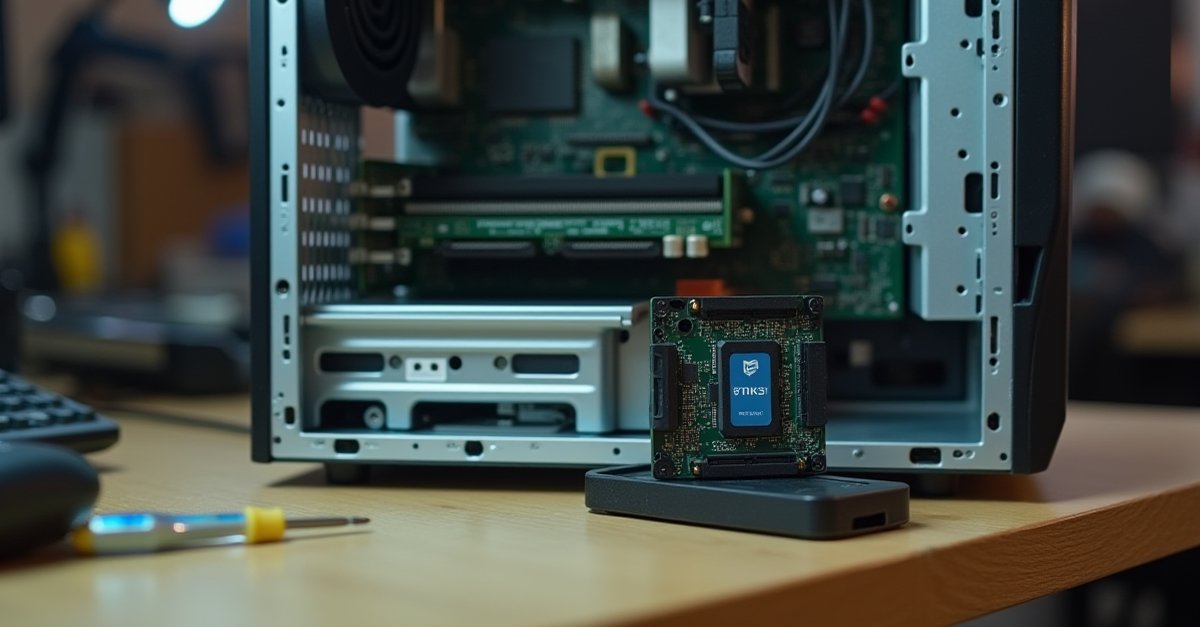
Your PC is a few years old and starting to feel its age. It's slow, maybe it struggles with things it used to handle fine. You're wondering whether an upgrade could breathe new life into it, or whether you'd be throwing good money after bad.
The honest answer is: it depends on the upgrade. Some make a massive difference for very little money. Others are a waste on an older machine.
The Upgrade Impact Guide
SSD: The One Upgrade Everyone Should Make
If your PC has a traditional spinning hard drive and you do nothing else, replace it with an SSD. This is the single most impactful upgrade you can make to any computer, old or new.
A spinning hard drive reads data at roughly 80–160 MB/s. A basic SATA SSD reads at 500+ MB/s. An NVMe SSD reads at 3,000+ MB/s. The difference is night and day.
In practical terms: a PC that takes 2–3 minutes to boot from a spinning hard drive will boot in 15–20 seconds with an SSD. Programs open instantly instead of bouncing in the taskbar for 30 seconds. The whole system feels like a different machine.
A 500GB SATA SSD costs around £30. Even on a 7-year-old PC, it's worth it. I've put SSDs in machines that people were ready to throw away, and they've got another 2–3 years of comfortable use out of them. I wrote more about this and other free speed fixes in my post on how to speed up a slow Windows 11 PC.
RAM: Cheap and Effective (If You're Low)
RAM is where your PC stores the data it's actively working with. If you don't have enough, Windows starts using the hard drive as overflow (called "paging"), and everything slows to a crawl. This is especially painful if you're still on a spinning hard drive.
Press Ctrl+Shift+Esc to open Task Manager, click the Performance tab, then Memory. If you're regularly using 90%+ of your RAM with just normal use (browser, email, a couple of programs), you need more.
- 4GB: Definitely upgrade. Windows 11 alone uses 3–4GB. You're running out of RAM just sitting at the desktop
- 8GB: Enough for basic use, but can feel tight with lots of browser tabs. Going to 16GB is a worthwhile upgrade if your PC supports it
- 16GB: Plenty for almost everyone. Only upgrade beyond this if you have a specific need (video editing, VMs, large datasets)
RAM is cheap. 8GB of DDR4 costs around £15–20. The main thing to check is what type your PC takes (DDR3, DDR4, or DDR5) and how many slots you have. Task Manager shows this under the Memory performance tab.
GPU: It Depends What You Do
A graphics card upgrade only makes sense if your PC does something that uses the GPU. For most people (web browsing, email, Office, watching videos) the built-in graphics on your processor are perfectly adequate. Spending £200 on a graphics card to make Chrome faster is a waste of money because Chrome doesn't use the GPU in any meaningful way.
Where a GPU upgrade does make sense:
- Gaming. If you're getting low framerates or can't run games at the quality settings you want
- Video editing. A decent GPU significantly speeds up rendering and playback in Premiere Pro, DaVinci Resolve, etc.
- 3D work / CAD. Similar to video editing, the GPU does the heavy lifting
But there's a catch: if your CPU is old, it may bottleneck a new GPU. There's no point putting a fast graphics card into a system with a 10-year-old processor. The CPU can't feed the GPU data fast enough, and you won't get anywhere near the card's potential. This is one to think about carefully before spending the money.
CPU: Almost Never Worth It Alone
The CPU is the one upgrade that sounds like it should make the biggest difference, but in practice it's the hardest to justify on an older machine.
The problem is compatibility. CPUs only work with specific motherboard chipsets, and those chipsets only support specific generations of RAM. So upgrading the CPU often means you also need a new motherboard (£80–150) and new RAM (£40–80). Add the cost of the CPU itself and you're looking at £200–400+ for the upgrade, at which point you're basically building a new system in an old case.
The exception is if your current motherboard supports a significantly better CPU from the same generation. For example, if you have an entry-level chip and the same motherboard takes a much better one, and you can find that chip second-hand for a reasonable price, it can be worthwhile. But this is a niche scenario.
The 50% Rule
I use this rule with customers all the time, and I wrote about it in my post on whether to repair or replace your PC. Simple version: if the total cost of upgrades exceeds 50% of what a decent new PC would cost, buy new instead.
A decent new desktop or laptop for everyday use costs £350–500. If you're looking at spending £200+ on upgrades to an old machine, seriously consider whether that money would be better spent towards something new, with a warranty, modern specs, and another 5+ years of useful life ahead of it.
When to Stop Upgrading
There's a point of diminishing returns with any old PC. You know you've hit it when:
- The CPU is 8+ years old. Even with an SSD and plenty of RAM, the processor itself is the bottleneck for modern software
- It can't run Windows 11. Microsoft's hardware requirements (specifically TPM 2.0) cut off many older machines. You can keep running Windows 10 for now, but official support ends in October 2025
- You've already done the easy upgrades. If it's already got an SSD and enough RAM and it's still too slow, the problem is the platform itself. More money won't fix it
- Multiple things are ageing. If the battery is dying, the screen hinges are loose, and the keyboard has dead keys, the upgrades you need aren't about performance: the whole machine is wearing out
If you'd like the SSD or RAM fitted properly with a fresh Windows install on top, I do computer repair and upgrades in St Helens and can usually have it back to you the same day.

Mark has been fixing computers since the late '90s and went self-employed in 2008. Based in St Helens since 2013, he works evenings and weekends from his home in Laffak — friendly, affordable repairs for PCs, laptops, and Macs. See reviews on Google
Not sure if an upgrade is worth it?
If you've got an older PC and you're wondering whether it's worth upgrading or time to move on, get in touch. I'll have a look at what you've got, tell you which upgrades would actually make a difference, and give you an honest recommendation.
★★★★★"Mark fixed the problem on my old computer. Great job reasonable price, definitely recommend."
— Peter Johnson, via Google