Is Your Wi-Fi Router Too Old? Signs It's Time to Replace It
The little black box on your shelf gets ignored for years. It sits there, quietly doing its job, until one day Netflix starts buffering, Teams calls drop, and you start shouting at the Wi-Fi. The problem is often the router itself. Particularly if it's the one your broadband provider sent you five years ago and nobody's thought about since.
Here's how to tell if yours is past it, and when spending money on a new one will actually help.
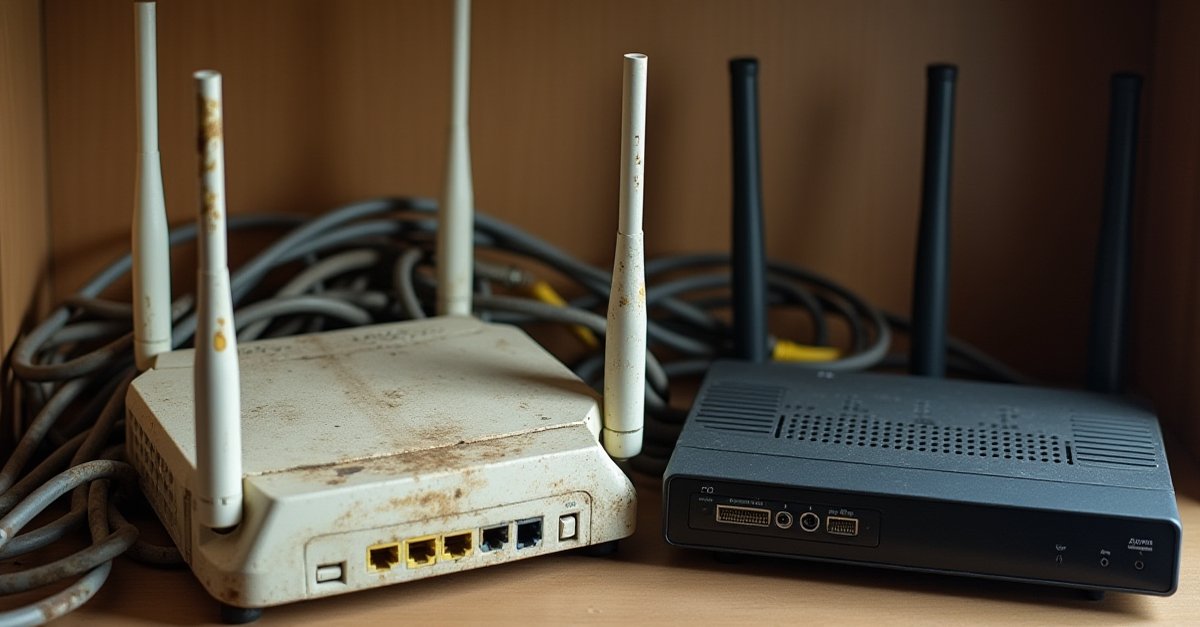
The "How Old Is It?" Test
Look at the router. On the bottom or back there'll be a sticker with a model number. Type that into Google along with "release date" and you'll find when it came out. If the answer is more than five years ago, it's probably time. The reason comes down to the standards.
Wi-Fi Standards, Briefly
Every few years, Wi-Fi gets a new version. Each one is faster, handles more devices at once, and works better in houses packed with neighbours' Wi-Fi bleeding through the walls.
| Standard | Also called | Year | Rough max speed |
|---|---|---|---|
| Wi-Fi 4 | 802.11n | 2009 | ~300 Mbps |
| Wi-Fi 5 | 802.11ac | 2014 | ~1.3 Gbps |
| Wi-Fi 6 | 802.11ax | 2019 | ~3 Gbps |
| Wi-Fi 6E | 802.11ax (6GHz) | 2021 | ~3 Gbps, less congestion |
| Wi-Fi 7 | 802.11be | 2024 | ~5+ Gbps |
Those max speeds are fantasy for most homes. What actually matters is that newer standards handle more devices at once without slowing down, and they're better at punching through walls. A 2015-era Wi-Fi 5 router trying to juggle 20 smart devices, four phones, three laptops and a games console is struggling in a way a Wi-Fi 6 router wouldn't.
Signs Your Router Is the Bottleneck
- Speed tests on a wired connection are fast, but Wi-Fi is slow. If your 200Mbps broadband hits 200 over Ethernet but only 40 on Wi-Fi a few rooms away, the router's radio is the problem.
- Dead zones in rooms that used to work fine. Wi-Fi range depends on the router. A dying router often gets weaker before it fails.
- Dropped video calls or stuttering streams, especially in the evening. Evening is when the whole street is on Wi-Fi. Newer routers handle congestion much better.
- It needs restarting every few days. Regular "unplug and plug it back in" is a sign the hardware is getting tired.
- It gets uncomfortably hot. Routers run warm, but if yours is hot to touch and sitting in a cupboard, it's stressed and the components won't last much longer.
- You have 30+ smart devices at home. Bulbs, plugs, cameras, doorbells, thermostats, speakers. Older routers choke on this.
ISP Router vs Your Own
ISPs include a router with your broadband because they have to. The routers they ship are middle of the road. Fine for an average household. Not top-tier kit.
For most people, the ISP router is genuinely fine, especially if yours has been refreshed in the last couple of years. BT's Smart Hub 2 and newer Smart Hub Plus, Sky Hub 4 and Max, Virgin's Hub 5 are all perfectly decent. Where you might want your own:
- You've got a big or awkward-layout house and need mesh (multiple units that spread Wi-Fi around). ISP kit rarely does this well.
- You want serious Wi-Fi 6/6E/7 performance and your ISP router is older Wi-Fi 5
- You work from home and need reliability, QoS, or a VPN
- You want proper parental controls; the ISP-branded ones are often limited
Something to know: Virgin Media routers have to be theirs. You can put a third-party router behind theirs, but you can't replace it outright. BT, Sky, TalkTalk and others you can usually swap, though Sky makes it deliberately awkward. Check before you buy.
What to Actually Buy
For a normal UK home, my rule of thumb in 2026:
- Small flat, one or two people: a decent Wi-Fi 6 router (~£80-120). TP-Link Archer AX73, Asus RT-AX58U, or similar.
- Typical family home, 2-3 bedrooms: a Wi-Fi 6 or 6E mesh system (~£200-300). TP-Link Deco X50, Amazon Eero 6+, or similar. Two units covers most UK semi-detacheds.
- Large or awkward-layout house: a three-piece mesh, ideally Wi-Fi 6E or Wi-Fi 7. Spend more, get proper coverage.
- You work from home and have gigabit broadband: worth looking at Wi-Fi 7 (~£400+). Not yet essential, but future-proof.
What About Extenders?
The cheap "Wi-Fi booster" or "extender" you plug into a socket in the hallway? Avoid. They halve the speed, create a second network your devices don't roam between properly, and they're a sticking plaster on the real problem.
If you've got a coverage problem, a proper mesh system (two or three units designed to work together) is vastly better. More expensive, but it actually works.
If you're not sure whether it's the router, the broadband line, or something else entirely, I went into more detail in what's really causing your slow internet.

Mark has been fixing computers since the late '90s and went self-employed in 2008. Based in St Helens since 2013, he works evenings and weekends from his home in Laffak — friendly, affordable repairs for PCs, laptops, and Macs. See reviews on Google
Wi-Fi driving you mad?
I can come and test your connection properly, work out whether it's the router, the line, or the layout, and set up something that actually works, mesh or otherwise.
★★★★★"Excellent response and service, Thanks for sorting out our PC problems and getting all our other kit talking to each other, cheers Ian"
— Ian, via Google